
Settings and language
What it is / when to use it
The Settings window tells you what your server is and how to reach it. It is a report rather than a form: privden looks after its own configuration, and the few choices you can make are items in the privden menu — Access from the local network, privden Connect and the language.
How to use it
The Settings window
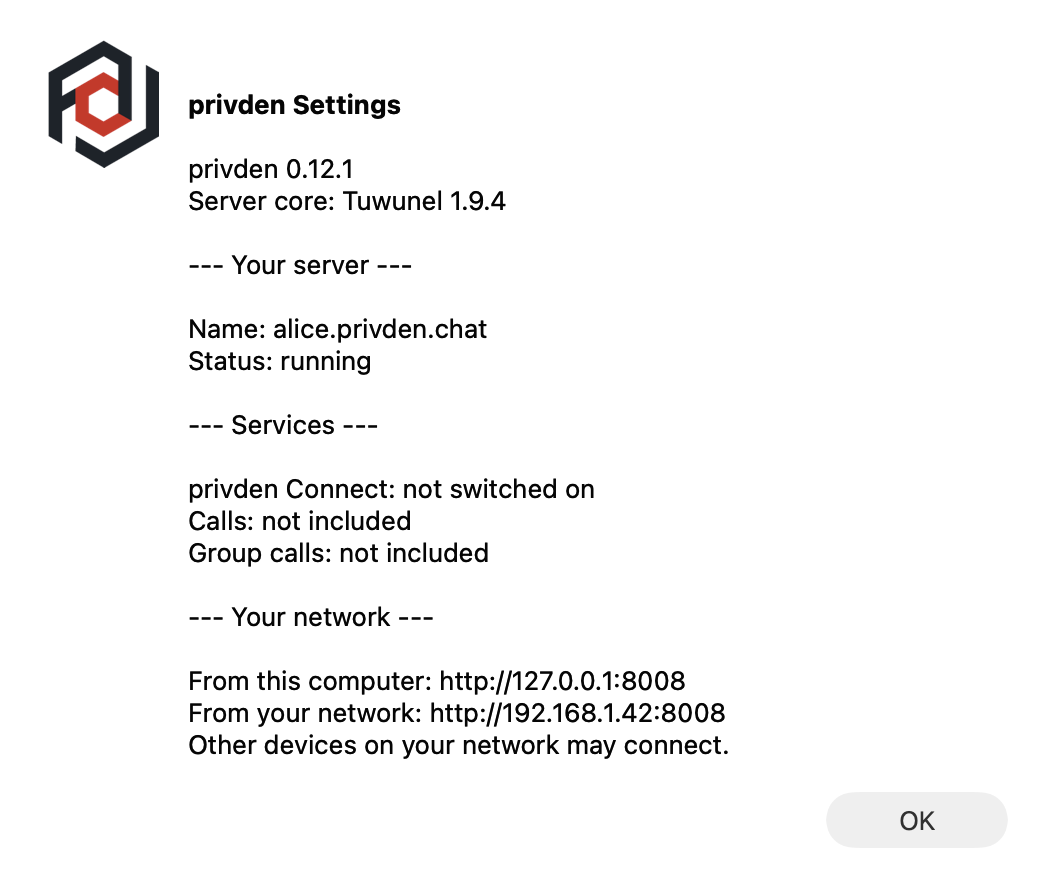
Open the privden menu and choose Settings. The window privden Settings shows:
- The version of privden and of the server core it runs on (Tuwunel).
- Your server — its name, and whether it is running or stopped.
- Services — whether privden Connect is switched on, and, with Connect, the state of the subscription and whether calls and group calls are included.
- Calls — with calls included, the server used for calls and how many devices can be in a call.
- Your network — the address to use from this computer (
http://127.0.0.1:8008), the address to use from other devices on your network, and whether other devices on your network may connect.
On Windows, the window also holds the command that allows connections through Windows Firewall, for when a phone on your network is refused.
Language
privden speaks English, Français, Español, Русский and Magyar. On Windows the installer asks first; after that, and on macOS, choose Language in the privden menu and tick one. Without a choice, privden follows the language of your computer, and English where it does not speak it. The language is privden's own — the windows, the menu and the pages it serves — not the language of your messages.
Commands & settings
| Command | How to run |
|---|---|
| Settings | privden menu → Settings |
| Language | privden menu → Language → a language |