
Disk space and where your data is stored
What it is / when to use it
Your messages, photos and files are stored on the server's computer, and they grow. privden watches the room left on that disk, tells you before it runs out, and protects your messages when it does. When the disk is getting full, you can move everything to another disk inside the computer.
How to use it
When the disk is running low
privden tells you in two places: a line in the privden menu, directly under Start Server and Stop Server, and a notice on screen. As the room shrinks, three things happen in turn:
- The disk is running low — everything works; free up some space ahead of time.
- Photos and files are not being accepted — messages still arrive; photos and files do not until there is more space.
- Server stopped: the disk is almost full — privden stops the server to keep your messages safe. Free up some space, and privden starts the server again by itself.

While the line has something to say, clicking it opens the window below.
See where your data is stored, and move it
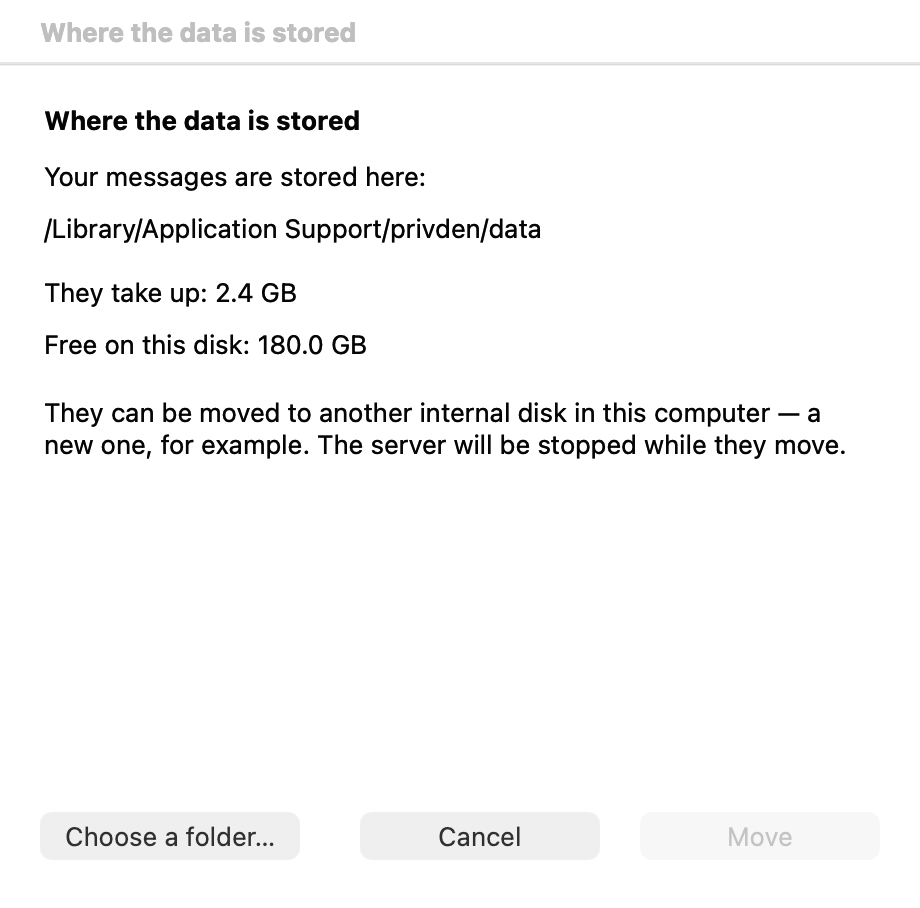
- Open the privden menu and choose Where the data is stored…. The window shows where your messages are stored, how much room they take, and how much is free on that disk.
- To move them, click Choose a folder… and pick a folder on another internal disk of the computer — a new one, for example.
- Click Move. The server is stopped while the data moves; a progress window shows each stage — stopping the server, copying, checking the copy, starting the server in the new place, removing the old copy. Do not switch the computer off until it has finished.
privden refuses a place that would put your messages at risk, and says why: a disk that can be unplugged, a disk anybody at this computer could read your messages from, a folder that is already in use, one inside the current data folder, or a disk without enough room. In those cases nothing is moved. privden may ask for an administrator's password to write into the folder you chose.
If a move does not succeed, nothing has changed: the data is where it was, and the server runs again.
If the server will not start
If privden says "your messages are not where privden expects them to be", it declined to start an empty history in place of yours — nothing has been lost. If your data lives on a separate disk, connect it.
Commands & settings
| Command | How to run |
|---|---|
| Where the data is stored… | privden menu → Where the data is stored… |